Roblox for iPhone & iOS – Complete Player Guide (2026)
Every week, thousands of iPhone users search for ways to get more out of Roblox on iOS. They want free Robux, they want unlocked items, they want the same kind of features that Android MOD APK users enjoy. This guide is written specifically for them — for you.
The honest truth is that Roblox MOD APK cannot be installed on iPhone the way it works on Android. But that does not mean iOS players are left with nothing. There are legitimate, safe, and genuinely useful ways to get free items, improve your gameplay, and enjoy Roblox on iPhone to the fullest extent possible.
This guide covers all of it — what works, what does not, what is safe, and what you should avoid.
Why APK Files Do Not Work on iPhone
To understand your options as an iOS user, it helps to understand why APK files are Android-only.
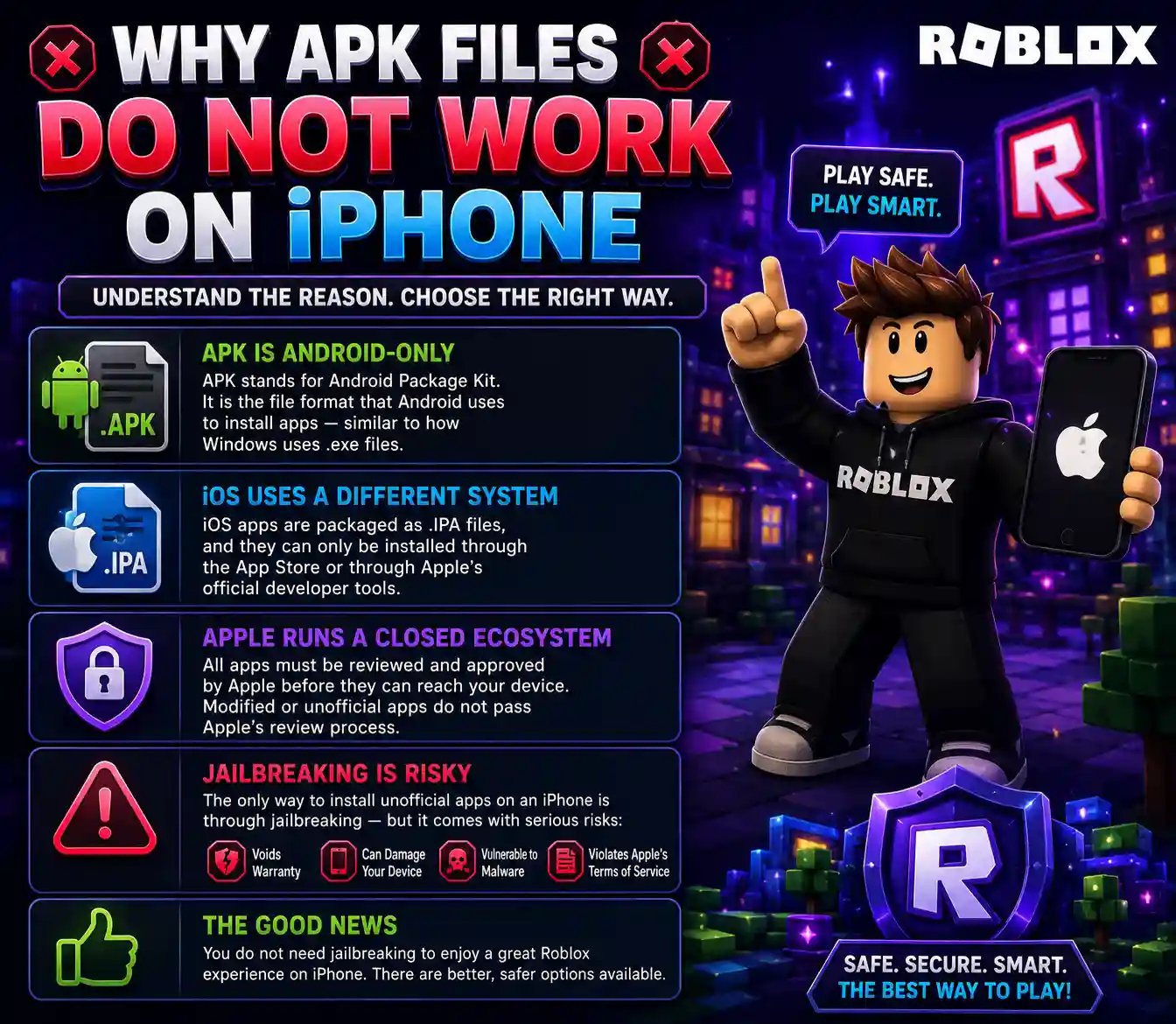
APK stands for Android Package Kit. It is the file format that Android uses to install apps — similar to how Windows uses .exe files. Apple’s iOS uses a completely different system. iOS apps are packaged as .IPA files, and they can only be installed through the App Store or through Apple’s official developer tools.
Apple runs a closed ecosystem. This means all apps must be reviewed and approved by Apple before they can reach your device. Modified or unofficial apps do not pass Apple’s review process, so they cannot be distributed through the App Store.
The only way to install unofficial apps on an iPhone is through jailbreaking — a process that removes Apple’s restrictions from the device. However, jailbreaking carries serious risks: it voids your warranty, can permanently damage your device, makes your phone vulnerable to malware, and violates Apple’s terms of service. It is not something we recommend.
The good news is that you do not need jailbreaking to enjoy a great Roblox experience on iPhone. There are better, safer options available.
The Official Roblox App for iPhone
The official Roblox app is available for free on the Apple App Store and it is genuinely excellent. Roblox’s iOS app is polished, regularly updated, and optimized to run smoothly on all modern iPhone models.
Here is what the official app offers:
Access to Millions of Games
The same massive library of user-created games that exists on Android and PC is fully available on iOS. Adventure games, tycoon games, role-playing games, horror games, obby courses — everything is accessible.
Cross-Platform Play
One of Roblox’s greatest strengths is that it is cross-platform. This means iPhone players can play together with Android users, PC players, and Xbox players on the same servers. Your friend group does not need to all use the same device.
Account Sync
Your Roblox account works across all platforms. Log in on your iPhone with the same account you use on any other device, and everything — your avatar, your Robux balance, your game progress, your friends list — is exactly where you left it.
Regular Updates
The iOS version of Roblox receives the same updates as Android and PC. New features, new games, seasonal events, and performance improvements arrive at the same time across all platforms.
Smooth Performance
The iOS version of Roblox receives the same updates as Android and PC. New features, new games, seasonal events, and performance improvements arrive at the same time across all platforms.
How to Install Official Roblox on iPhone
Getting Roblox on your iPhone takes less than two minutes.
Step 1
Open the App Store on your iPhone
Step 2
Tap the search bar and type “Roblox”
Step 3
Find the official Roblox app (published by Roblox Corporation) and tap “Get”
Step 4
Use Face ID, Touch ID, or your Apple ID password to confirm the download
Step 5
Wait for the download and installation to complete — it takes about 1 to 2 minutes
Step 6
Open the app, log in or create a free account.
How iOS Players Can Get Free Items
This is where things get genuinely useful. Even without a MOD APK, iPhone users can collect a surprising amount of free items through legitimate methods.
Roblox Promo Codes
Promo codes are the most direct way to get free cosmetic items on Roblox. They work on all platforms, including iPhone. Simply go to roblox.com/promocodes in your browser, log in, and enter the code. The item goes straight to your inventory.
Currently active codes include SPIDERCOLA (Spider Cola shoulder pet) and TWEETROBLOX (The Bird Says shoulder accessory). Check our Roblox Promo Codes page for the full updated list.
Amazon Prime Gaming
If you or someone in your household has an Amazon Prime subscription, you can link it to your Roblox account and claim exclusive free items every month. The process is simple — go to Prime Gaming, find the Roblox section, and claim your items. New items are added regularly.
Roblox Creator Events and Challenges
Roblox regularly runs Creator Challenges — short educational events where you watch videos or complete simple tasks and earn exclusive avatar items as rewards. These events are free to participate in and available to all players including iPhone users.
Seasonal Events
Roblox runs major seasonal events around Halloween, Christmas, New Year, Easter, and various other occasions. These events offer exclusive free items that can only be earned during that limited window. Participating in these events is one of the best ways to build a collection of rare, exclusive items.
Microsoft Rewards
Microsoft Rewards is a program where you earn points by using Bing, Edge, and other Microsoft products. These points can be redeemed for Robux gift cards. It takes time, but it is a completely legitimate way to earn Robux without spending money.
Free Items in the Avatar Shop
Many people do not realize that the Roblox avatar shop has a large selection of completely free items. Open the Avatar Shop, filter by price (set to zero Robux), and browse through hundreds of free accessories, animations, and cosmetics. There is genuinely a lot available at no cost.
Roblox Settings Tips for iPhone Players
A few settings adjustments can noticeably improve your Roblox experience on iPhone.
Roblox Settings Tips for iPhone Players
A few settings adjustments can noticeably improve your Roblox experience on iPhone.
Graphics Quality
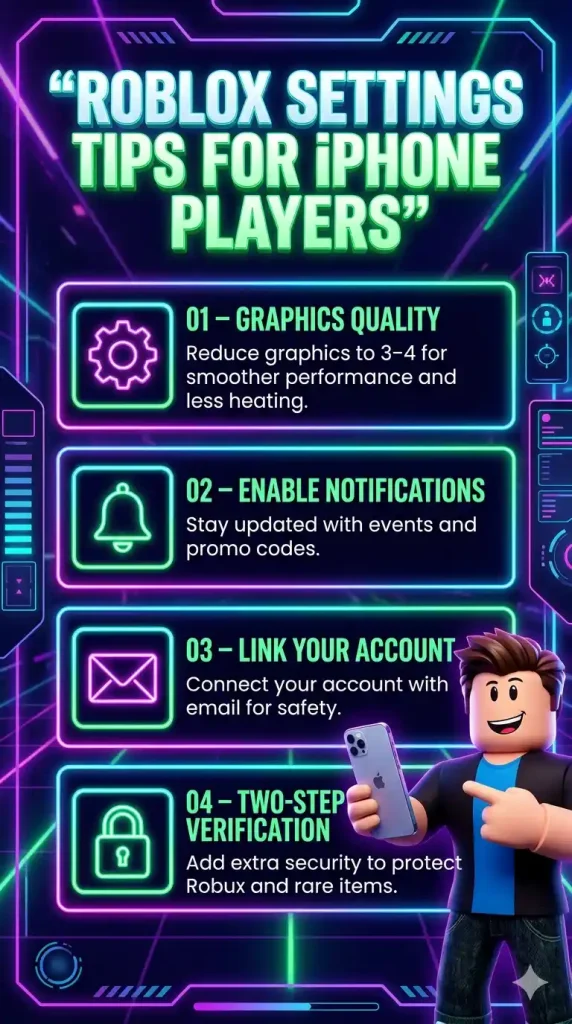
If your phone gets warm or the game feels sluggish, reduce the graphics quality to 3 or 4. This improves performance significantly without making the game look bad.
Enable Notifications
Turn on Roblox notifications so you never miss a seasonal event or limited-time promo code.
Link your account to an email
Always link your Roblox account to an email address. This protects your account from being lost if you change devices.
Enable two-step verification
Protect your account with two-step verification. This is especially important if you have earned rare items or have Robux in your account.
What to Do If You Want Full MOD Features
If you have tried the official app and you genuinely want the MOD features — Unlimited Robux, Fly Mode, God Mode, Mod Menu — the most practical solution is to switch to an Android device.
Roblox MOD APK is available for all Android phones, is easy to install, and gives you the complete MOD experience without any of the risks associated with jailbreaking.
Alternatively, if you have access to a Windows PC or a Mac, you can run Roblox MOD APK through an Android emulator on your computer. This gives you the full MOD feature set on a bigger screen with better controls.