Roblox Error Codes and Fixes: Complete Troubleshooting Guide
Roblox is one of the most popular gaming platforms in the world, connecting millions of players through user-generated experiences. While the platform generally works smoothly, users occasionally encounter error messages that prevent them from joining games, accessing their accounts, or connecting to servers.
If you’ve ever been greeted by a mysterious error code instead of your favorite game, you’re not alone. The good news is that most Roblox errors can be fixed without advanced technical knowledge.
In this guide, we’ll explain the most common Roblox error codes, what causes them, and the practical solutions that can help you get back into the game quickly.
Why Do Roblox Error Codes Appear?
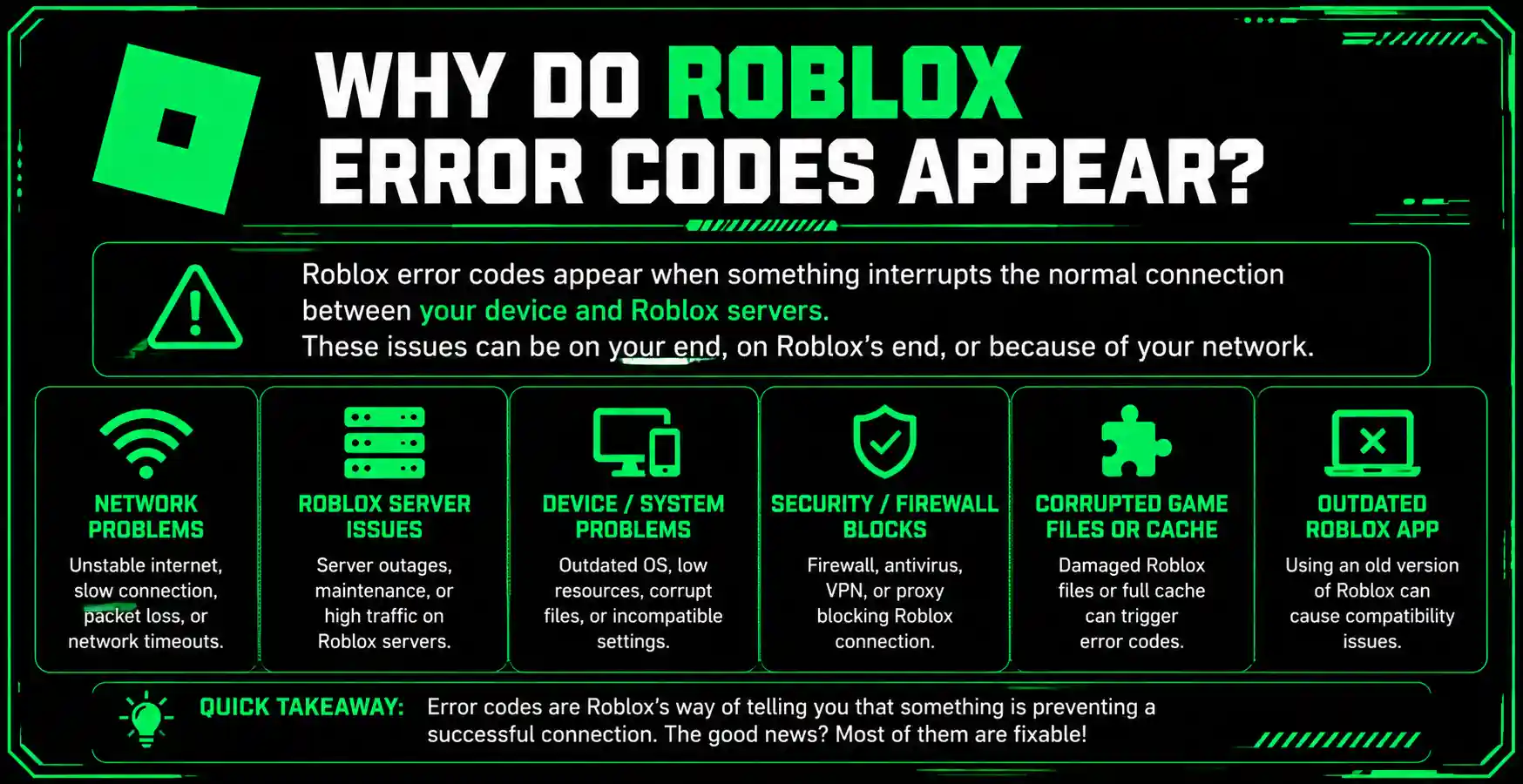
Roblox error codes are designed to identify specific issues affecting gameplay or account access. These problems may be related to:
Understanding the cause behind an error is the first step toward finding the right solution.
Quick Overview of Common Roblox Error Codes
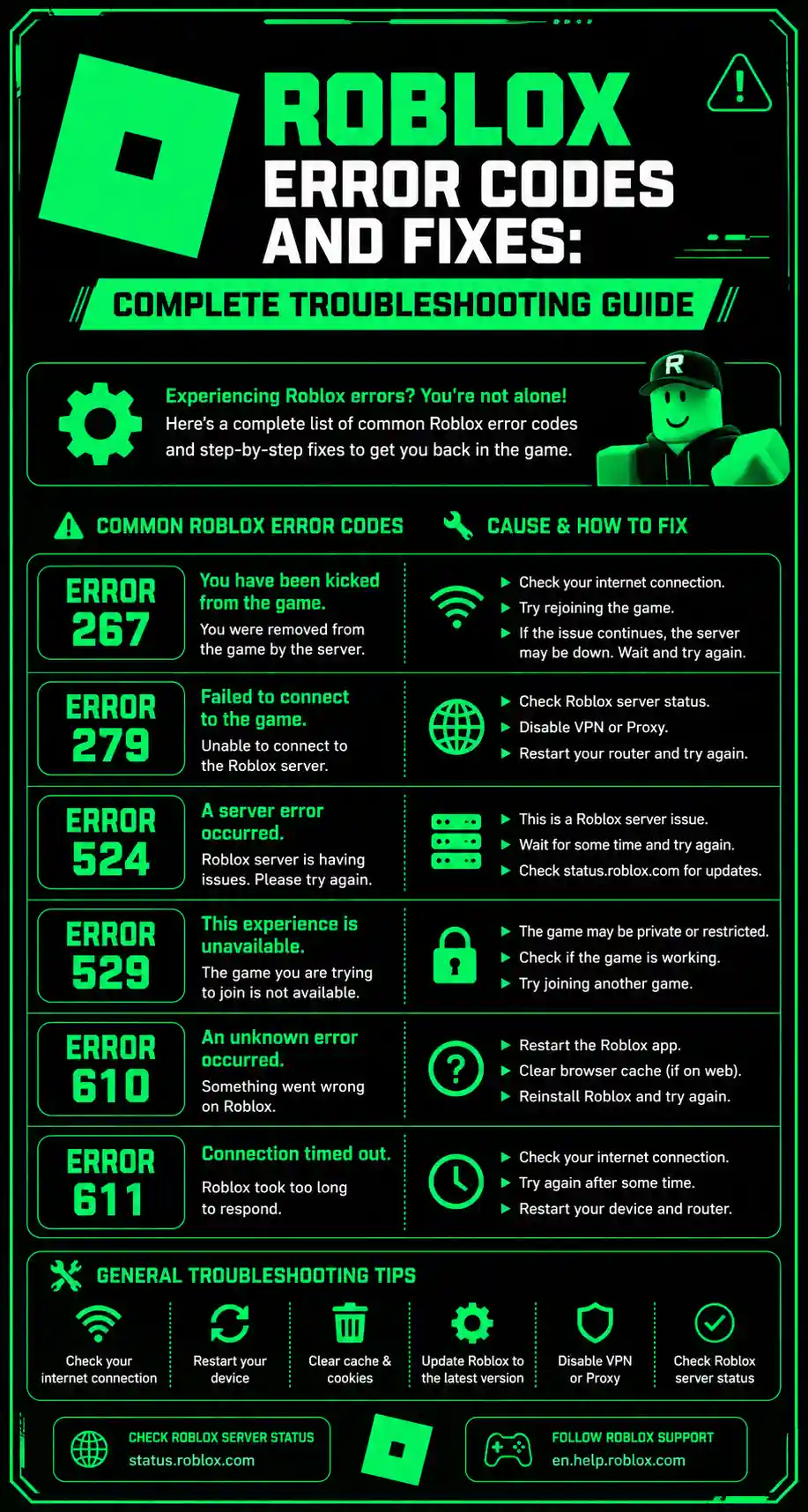
| Error Code | Common Cause | Recommended Fix |
| 277 | Lost connection to server | Check internet stability |
| 279 | Connection failure | Review firewall and network settings |
| 403 | Permission issue | Verify account access |
| 267 | Game kick or restriction | Follow game rules and reconnect |
| 529 | Roblox service issue | Wait for servers to recover |
| 517 | Server unavailable | Join another server |
| 610 | Join request problem | Refresh Roblox and try again |
| 901 | Authentication issue | Re-login to your account |
| 773 | Teleport failure | Rejoin or restart Roblox |
| 103 | Privacy restrictions | Adjust account settings |
Roblox Error Code 277
Error Code 277 is one of the most frequently reported issues among Roblox players. It usually appears when the connection between your device and Roblox servers is interrupted.
Possible Causes
- Unstable internet connection
- High network latency
- Temporary server interruptions
- Outdated Roblox application
How to Fix It
- Restart your router.
- Switch to a more stable Wi-Fi network.
- Close background applications consuming bandwidth.
- Update Roblox to the latest version.
- Restart your device and reconnect.
A strong and consistent internet connection often resolves this issue within minutes.
Roblox Error Code 279
Error Code 279 typically occurs when Roblox cannot establish a secure connection with a game server.
Common Reasons
- Firewall restrictions
- VPN interference
- Weak internet connection
- Router configuration problems
Solutions
- Disable VPN services temporarily.
- Allow Roblox through your firewall.
- Restart your modem and router.
- Try joining a different game server.
- Use a wired connection if possible.
Many players notice immediate improvement after adjusting firewall settings.
Roblox Error Code 267
Error Code 267 usually indicates that a player has been removed from a game.
Contrary to popular belief, this error does not always mean a permanent ban.
Why It Happens
- Game-specific restrictions
- Anti-cheat systems
- Administrative kicks
- Suspicious activity detection
What You Can Do
- Read the message accompanying the error.
- Wait a few minutes before rejoining.
- Avoid using unauthorized third-party tools.
- Contact the game’s administrators if necessary.
Each Roblox experience has its own moderation rules, so the cause may vary from one game to another.
Roblox Error Code 403
Error Code 403 generally points to an authorization issue.
This means Roblox is preventing access because it cannot verify permissions correctly.
Potential Causes
- Account security problems
- Session expiration
- Browser-related issues
- Network restrictions
Recommended Fixes
- Log out and sign back in.
- Clear browser cache and cookies.
- Update your browser.
- Disable problematic browser extensions.
- Try accessing Roblox from another device.
Most 403 errors disappear after refreshing account authentication.
Roblox Error Code 529
Error Code 529 is usually associated with Roblox service interruptions.
When Roblox experiences heavy traffic or maintenance periods, users may encounter this error.
Signs of a Service Issue
- Multiple players reporting problems
- Login failures
- Slow website performance
- Inability to join experiences
Best Solution
- Wait for server recovery.
- Check official Roblox announcements.
- Try again later.
Repeatedly refreshing the page generally does not solve server-side problems.
Roblox Error Code 517
Error Code 517 often appears when a game server becomes unavailable or closes unexpectedly.
Common Triggers
- Server shutdown
- Private server restrictions
- Game updates
- Temporary server instability
Fix Methods
- Leave Roblox completely.
- Restart the application.
- Join another server.
- Wait for developers to complete updates.
If the game is undergoing maintenance, the issue usually resolves once updates finish.
Roblox Error Code 610
Error Code 610 is less common today but can still affect some users.
It generally occurs during communication issues between Roblox systems and player accounts.
Troubleshooting Steps
- Sign out of Roblox.
- Clear application cache.
- Restart the device.
- Log in again.
- Test another game.
Most users find success after refreshing their account session.
Roblox Error Code 901
Console users occasionally encounter Error Code 901 during login attempts.
Why It Happens
- Authentication failures
- Account synchronization issues
- Temporary platform disruptions
Fixes
- Verify account credentials.
- Restart the console.
- Reconnect the account.
- Install pending updates..
Keeping your device software updated helps prevent future authentication errors.
Roblox Error Code 773
Error Code 773 appears when Roblox attempts to move a player from one experience to another but the transfer fails.
Common Causes
- Private server settings
- Incorrect teleport permissions
- Temporary server communication issues
How to Resolve It
- Leave and rejoin the experience.
- Check whether the destination game is available.
- Restart Roblox.
- Wait a few minutes before trying again.
Developers sometimes need to update teleport settings before players can join successfully.
Roblox Error Code 103
Error Code 103 is commonly reported by console users.
This issue is usually related to account privacy settings.
Typical Reasons
- Restricted communication permissions
- Child account limitations
- Privacy configuration conflicts
Solution
- Review your account settings and ensure that multiplayer access and communication permissions are enabled where appropriate.
- Parents managing younger users’ accounts may need to adjust family settings to allow access.
General Roblox Troubleshooting Tips
Even when an error code is unfamiliar, the following methods solve a large percentage of Roblox problems.
Restart Your Device
A simple reboot clears temporary glitches and refreshes network connections.
Update Roblox
Older versions may contain compatibility issues that newer releases have already fixed.
Check Internet Stability
Online games require consistent connectivity. Test your network before troubleshooting more advanced settings.
Clear Cache Files
Corrupted cache data can interfere with authentication and game loading processes.
Disable Conflicting Software
VPNs, ad blockers, security tools, and network monitoring applications occasionally interfere with Roblox services.
Reinstall Roblox
If persistent issues remain unresolved, a clean installation can eliminate damaged files and configuration problems.
How to Prevent Roblox Errors in the Future
While some issues originate from Roblox servers, many can be avoided through good maintenance habits.
Keep Software Updated
Install updates for:
- Roblox
- Operating system
- Browser
- Network drivers
Use a Reliable Internet Connection
Stable broadband connections reduce packet loss and disconnections.
Avoid Unauthorized Tools
Third-party modifications can trigger security checks and cause unexpected issues.
Monitor Server Status
Before troubleshooting extensively, determine whether the problem affects all users or only your device.
Maintain Device Performance
Closing unnecessary applications can improve overall gaming stability and reduce connection interruptions.
When Should You Contact Roblox Support?
If you’ve tried every recommended solution and the issue continues for several days, contacting support may be necessary.
Consider seeking assistance when:
- Account access remains blocked.
- Purchases are affected.
- Error messages persist across multiple devices.
- Security concerns are involved.
- Authentication failures continue despite successful troubleshooting.
Providing screenshots and detailed descriptions can help support teams identify the problem more quickly.
Final Thoughts
Roblox error codes can be frustrating, especially when they interrupt gameplay unexpectedly. Fortunately, most issues are linked to internet connectivity, account authentication, server availability, or temporary technical glitches.
By understanding what each error code means and applying the appropriate troubleshooting steps, players can often resolve problems within a few minutes. Whether you’re dealing with Error Code 277, 279, 529, or another common issue, systematic troubleshooting is usually the fastest path back into your favorite Roblox experiences.
The key is to identify whether the problem originates from your device, your network, or Roblox itself. Once you know the source, finding a solution becomes much easier.
Keeping Roblox updated, maintaining a stable internet connection, and following recommended account security practices will significantly reduce the likelihood of encountering future errors.